
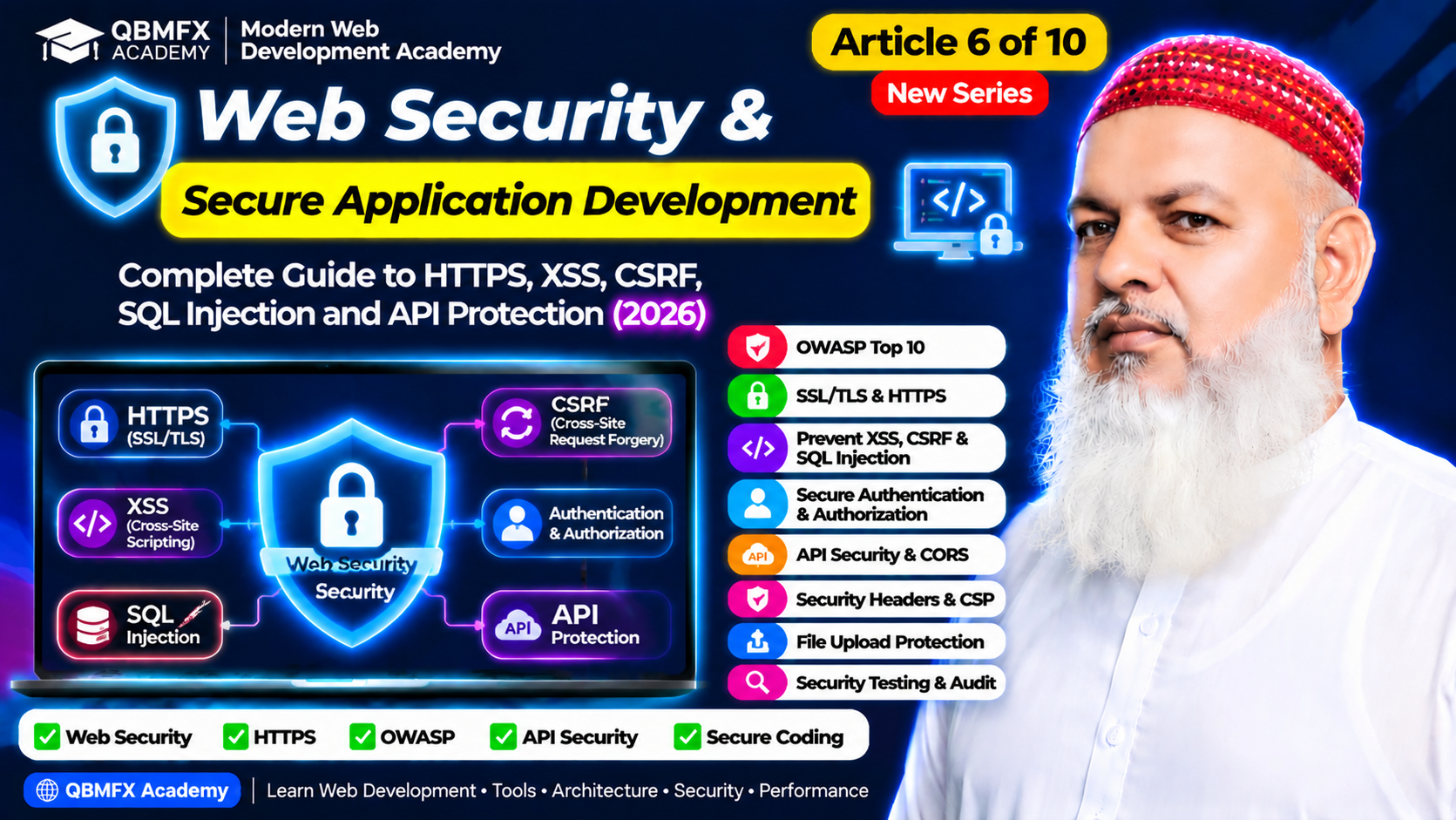
Web Security and Secure Application Development: Complete Guide to HTTPS, XSS, CSRF, SQL Injection and API Protection (2026)
Introduction
Web security is one of the most important responsibilities in modern web development.
Every website and web application that handles user information, files, accounts, APIs, or database operations needs appropriate security protections.
A website may have an attractive interface, excellent performance, and useful features, but without proper security, it can expose users and business information to serious risks.
Cyberattacks can result in:
- Unauthorized access.
- Data theft.
- Account compromise.
- Website defacement.
- Database exposure.
- Malicious file uploads.
- Service disruption.
- Financial losses.
- Privacy violations.
Modern developers must understand how security vulnerabilities occur and how to prevent them.
In this comprehensive guide, you will learn:
- What web security is.
- Why application security matters.
- How HTTPS and SSL/TLS work.
- What the OWASP Top 10 is.
- What SQL Injection is.
- How Cross-Site Scripting (XSS) works.
- What Cross-Site Request Forgery (CSRF) is.
- How authentication and authorization should be protected.
- How to secure REST APIs.
- What CORS means.
- How Content Security Policy works.
- How security headers protect websites.
- How to secure file uploads and downloads.
- How to protect passwords and application secrets.
- How to prevent brute-force attacks.
- How to secure databases.
- How to manage dependencies safely.
- How to test website security.
- How to build a secure Astro and Node.js application.
- How to create a practical security checklist for QBMFX.
This is Article 6 of the QBMFX Modern Web Development Academy series.
1. What Is Web Security?
Web security is the practice of protecting websites, web applications, servers, APIs, databases, and user information from unauthorized access and malicious activity.
It involves implementing technical controls, secure development practices, monitoring, and regular testing.
Main Areas of Web Security
Application Security
Protects the application against vulnerabilities in its code and functionality.
Network Security
Protects communication between systems and services.
Data Security
Protects information from unauthorized access, disclosure, modification, or destruction.
Authentication Security
Ensures users are properly identified.
Authorization Security
Ensures users can access only the resources and operations they are permitted to use.
Infrastructure Security
Protects servers, hosting environments, networks, and deployment systems.
Why Is Web Security Important?
Imagine an online application that allows users to upload documents.
Without proper security, attackers may attempt to:
- Upload malicious files.
- Access another user's documents.
- Exploit vulnerable processing software.
- Abuse application endpoints.
- Retrieve sensitive server information.
Security must therefore be considered throughout the development process, not added only after a website is launched.
2. Understanding the OWASP Top 10
OWASP stands for Open Worldwide Application Security Project.
It is a nonprofit organization that provides resources for improving software and application security.
The OWASP Top 10 is a widely recognized awareness document highlighting important web application security risks.
The 2025 edition includes these categories:
- Broken Access Control.
- Security Misconfiguration.
- Software Supply Chain Failures.
- Cryptographic Failures.
- Injection.
- Insecure Design.
- Authentication Failures.
- Software or Data Integrity Failures.
- Security Logging and Alerting Failures.
- Mishandling of Exceptional Conditions.
Understanding These Risks
Broken Access Control
Users gain access to information or operations they should not be allowed to access.
Security Misconfiguration
Applications or infrastructure use insecure settings.
Software Supply Chain Failures
Vulnerabilities or integrity problems in dependencies, build systems, or software delivery processes create risks.
Cryptographic Failures
Sensitive information is inadequately protected through encryption or other cryptographic controls.
Injection
Untrusted input interferes with the intended execution of commands or queries.
Insecure Design
The application lacks appropriate security controls at the design level.
Authentication Failures
Weak authentication or session management allows account compromise.
Software or Data Integrity Failures
The application does not adequately protect software and data from unauthorized modification.
Security Logging and Alerting Failures
Security events are not properly recorded, monitored, or acted upon.
Mishandling of Exceptional Conditions
Errors and unusual conditions are not handled safely.
Why Developers Should Study OWASP
OWASP helps developers understand common security problems and build applications with appropriate defensive controls.
Official resource:
3. Understanding HTTPS
HTTPS stands for Hypertext Transfer Protocol Secure.
It is the secure version of HTTP.
HTTPS protects communication between a browser and a web server using TLS encryption.
Why HTTPS Is Important
Without appropriate encryption, information transmitted across a network may be exposed to interception or modification.
HTTPS helps protect:
- Login information.
- Form submissions.
- Session cookies.
- API requests.
- User information.
- Download communications.
How HTTPS Works
A simplified HTTPS connection involves the following steps:
- A browser connects to a website.
- The server presents its TLS certificate.
- The browser validates the certificate and server identity.
- The browser and server establish secure communication parameters.
- Encrypted communication begins.
HTTPS Communication Diagram
          USER BROWSER
                |
                v
         HTTPS REQUEST
                |
                v
        TLS HANDSHAKE
                |
                v
       CERTIFICATE VALIDATION
                |
                v
       SECURE CONNECTION
                |
                v
          WEB SERVER
                |
                v
       ENCRYPTED RESPONSE
                |
                v
          USER BROWSER
HTTP vs HTTPS
| Feature | HTTP | HTTPS |
|---|---|---|
| Encryption | No transport encryption | TLS encryption |
| Data protection | Limited | Protected in transit |
| Server identity | Not authenticated through TLS | Authenticated through certificate validation |
| Recommended use | Not suitable for sensitive production traffic | Standard for modern websites |
Important
HTTPS protects data in transit.
It does not automatically protect a website against SQL injection, XSS, weak passwords, or compromised servers.
A secure website needs multiple layers of protection.
4. What Is SSL/TLS?
SSL stands for Secure Sockets Layer.
TLS stands for Transport Layer Security.
TLS is the modern protocol used to secure HTTPS communication.
SSL is obsolete and should not be enabled.
Main TLS Benefits
- Confidentiality.
- Integrity.
- Server authentication.
- Protection against certain network attacks.
TLS Versions
Modern web deployments should use supported TLS 1.2 or TLS 1.3 configurations, with TLS 1.3 generally preferred where compatible.
TLS Certificates
A TLS certificate helps a browser verify the identity of the website it connects to.
Certificates are issued by trusted Certificate Authorities.
Common Certificate Providers
- Let's Encrypt.
- DigiCert.
- GlobalSign.
- Sectigo.
Why Certificate Management Matters
Expired or incorrectly configured certificates can cause connection warnings and disrupt website access.
Developers should monitor certificate expiration and configure automatic renewal where supported.
5. What Is SQL Injection?
SQL Injection is a security vulnerability that occurs when untrusted input interferes with database query execution.
It can allow attackers to access, modify, or delete information when applications construct database queries unsafely.
How SQL Injection Happens
Imagine an application builds a database query by directly combining user input with SQL code.
Unsafe example:
const query =
  "SELECT * FROM users WHERE email = '" +
  email +
  "'";
The problem is that the application treats user input as part of the SQL statement.
This can change the intended meaning of the query.
How to Prevent SQL Injection
Use parameterized queries.
Secure PostgreSQL example:
const result = await pool.query(
  "SELECT id, name, email FROM users WHERE email = $1",
  [email]
);
Here, the user input is supplied separately from the SQL statement.
Additional SQL Injection Protections
- Use parameterized queries.
- Avoid unsafe dynamic SQL.
- Validate input.
- Restrict database permissions.
- Avoid exposing detailed database errors.
- Review ORM query construction.
- Test database-related code.
Important
An ORM does not automatically make every database operation secure.
Unsafe raw SQL and dynamic query construction can still introduce injection vulnerabilities.
6. What Is Cross-Site Scripting (XSS)?
Cross-Site Scripting, commonly called XSS, is a vulnerability that allows malicious scripts to execute in another user's browser through a vulnerable website.
It can expose sensitive information, interfere with user sessions, or modify page content.
Main Types of XSS
1. Stored XSS
Malicious content is saved by an application and later displayed to other users.
2. Reflected XSS
Malicious input is reflected in a response without appropriate handling.
3. DOM-Based XSS
Unsafe JavaScript operations cause malicious content to execute through browser-side DOM manipulation.
Example of Unsafe JavaScript
const userInput = location.hash.slice(1);

document.getElementById("output").innerHTML =
  userInput;
This is dangerous because untrusted content is inserted into the page as HTML.
Safer Alternative
const userInput = location.hash.slice(1);

document.getElementById("output").textContent =
  userInput;
Using textContent displays the input as text instead of interpreting it as HTML.
How to Prevent XSS
- Escape untrusted output.
- Use safe DOM APIs.
- Avoid unsafe HTML insertion.
- Sanitize HTML when rich HTML is genuinely required.
- Use Content Security Policy.
- Keep frontend dependencies updated.
- Review template rendering.
Why XSS Is Dangerous
A successful XSS vulnerability can allow malicious scripts to operate in the security context of the affected website.
This is why output encoding and safe rendering are essential.
7. What Is Cross-Site Request Forgery (CSRF)?
Cross-Site Request Forgery is an attack that attempts to make an authenticated user's browser submit an unwanted request to a website.
It is particularly relevant to applications that use automatically transmitted authentication cookies.
Example Scenario
Imagine a user is logged into a website.
An attacker may attempt to cause the user's browser to submit an unwanted action to that website.
If the application does not properly verify the request, the action may be accepted.
How to Prevent CSRF
1. CSRF Tokens
Use unpredictable, server-validated tokens for state-changing requests.
2. SameSite Cookies
Configure cookies with an appropriate SameSite policy.
3. Origin Validation
Check the request's Origin or, where appropriate, Referer information as an additional control.
4. Secure State-Changing Operations
Use POST, PUT, PATCH, or DELETE for operations that modify application state.
GET requests should not perform state-changing actions.
5. Reauthentication
Require additional verification for particularly sensitive operations.
Example Cookie Configuration
res.cookie("session", sessionId, {
  httpOnly: true,
  secure: true,
  sameSite: "lax",
  path: "/"
});
The appropriate SameSite policy depends on the application's authentication and navigation requirements.
Important
SameSite cookies provide useful protection but should not automatically be treated as a complete replacement for CSRF protection in every application.
8. Authentication Security
Authentication verifies a user's identity.
It is one of the most important parts of applications that support accounts and protected resources.
Common Authentication Methods
- Password-based authentication.
- Session-based authentication.
- Token-based authentication.
- Multi-factor authentication.
- Passkeys.
- OAuth 2.0 and OpenID Connect.
Password Security
Passwords must never be stored in plain text.
Use suitable password hashing algorithms such as:
- Argon2id.
- bcrypt.
- scrypt.
Secure Password Practices
- Use appropriate password hashing.
- Support long passwords.
- Avoid unnecessarily restrictive password composition rules.
- Prevent common and compromised passwords where appropriate.
- Implement login rate limiting.
- Provide secure account recovery.
- Protect password reset tokens.
- Support multi-factor authentication.
Multi-Factor Authentication
MFA requires more than one authentication factor.
For example:
- Something the user knows.
- Something the user possesses.
- Something the user is.
Passkeys can also provide strong phishing-resistant authentication.
Why Authentication Security Matters
Weak authentication can allow unauthorized users to gain access to accounts and private application resources.
9. Authentication vs Authorization
Authentication and authorization are different security concepts.
Authentication
Verifies who the user is.
Authorization
Determines what the user is permitted to access.
Example
Imagine a content management system with three roles:
| Role | Permissions |
|---|---|
| Administrator | Manage system settings and users |
| Editor | Create and update articles |
| Visitor | Read public content |
Why Authorization Is Important
Even an authenticated user should not automatically have access to every resource.
For example, a normal user should not be able to modify another user's private account information simply by changing an ID in a URL.
Best Practices
- Enforce permissions on the server.
- Check ownership of private resources.
- Use role-based or attribute-based access controls where appropriate.
- Deny access by default.
- Test access control for every sensitive endpoint.
10. What Is API Security?
API security protects application programming interfaces from unauthorized access, misuse, data exposure, and malicious requests.
Modern applications depend heavily on APIs.
An API may provide access to:
- User information.
- Application settings.
- File processing.
- Orders.
- Content.
- Database records.
- Administrative operations.
Common API Security Risks
- Broken authentication.
- Broken authorization.
- Excessive data exposure.
- Missing rate limits.
- Injection vulnerabilities.
- Insecure configuration.
- Weak input validation.
- Improper error handling.
API Security Best Practices
1. Use HTTPS
Protect communication between clients and servers.
2. Validate Input
Validate all incoming data.
3. Authenticate Requests
Require suitable authentication for protected operations.
4. Enforce Authorization
Verify permissions for every protected resource.
5. Apply Rate Limiting
Restrict excessive requests.
6. Limit Response Data
Return only the fields required by the client.
7. Protect API Credentials
Do not expose private API keys in frontend code.
8. Handle Errors Safely
Do not return internal stack traces or sensitive configuration.
9. Monitor Requests
Record relevant security events.
10. Version APIs Carefully
Manage changes so older clients do not unexpectedly break.
11. What Is CORS?
CORS stands for Cross-Origin Resource Sharing.
It is a browser security mechanism that controls whether frontend JavaScript from one origin can access responses from another origin.
An origin consists of:
- Scheme.
- Host.
- Port.
For example:
https://example.com
https://api.example.com
These are different origins.
Why CORS Matters
Suppose a frontend is hosted on one domain and its API is hosted on another.
The API may need to explicitly allow the frontend's origin.
Example Express Configuration
const cors = require("cors");

app.use(cors({
  origin: "https://example.com",
  methods: ["GET", "POST"],
  credentials: true
}));
This is an illustrative configuration.
CORS Best Practices
- Allow only required origins.
- Restrict methods where appropriate.
- Avoid unnecessary headers.
- Configure credentials carefully.
- Do not use wildcard origins with credentialed requests.
- Review preflight handling.
Important
CORS is a browser-enforced access policy.
It is not an authentication mechanism and does not prevent direct requests from other clients such as command-line tools.
12. Content Security Policy (CSP)
Content Security Policy is a browser security mechanism that restricts which sources can provide certain types of resources to a webpage.
It can help reduce the impact of some XSS vulnerabilities.
Common CSP Directives
- default-src.
- script-src.
- style-src.
- img-src.
- font-src.
- connect-src.
- object-src.
- frame-ancestors.
- base-uri.
Example CSP Header
Content-Security-Policy:
  default-src 'self';
  script-src 'self';
  object-src 'none';
  base-uri 'self';
  frame-ancestors 'none';
This is an illustrative restrictive policy.
Real websites may need additional sources for images, fonts, analytics, or other services.
CSP Best Practices
- Start with Content-Security-Policy-Report-Only.
- Identify required resources.
- Remove unnecessary script sources.
- Prefer nonces or hashes where appropriate.
- Avoid unsafe-inline where practical.
- Review third-party scripts.
- Enforce the policy after testing.
Why CSP Matters
CSP provides an additional layer of protection.
It should complement secure coding rather than replace output encoding and safe DOM operations.
13. Important Website Security Headers
Security headers provide browser instructions that can improve website protection.
1. Strict-Transport-Security
Also called HSTS.
It tells browsers to use HTTPS for future connections according to the configured policy.
Example:
Strict-Transport-Security:
  max-age=31536000
Only enable HSTS after confirming HTTPS works correctly across the intended domain scope.
2. X-Content-Type-Options
Example:
X-Content-Type-Options: nosniff
Helps prevent browsers from interpreting resources as a different content type.
3. Referrer-Policy
Example:
Referrer-Policy: strict-origin-when-cross-origin
Controls how much referrer information is shared.
4. Permissions-Policy
Example:
Permissions-Policy:
  camera=(), microphone=(), geolocation=()
Restricts access to selected browser features.
Configure permissions according to actual application functionality.
5. Content-Security-Policy
Controls allowed resource sources.
6. X-Frame-Options
Example:
X-Frame-Options: DENY
Helps protect against clickjacking by controlling framing.
CSP frame-ancestors is the more flexible modern control.
Why Security Headers Matter
They provide additional browser-side security protections when correctly configured.
14. Secure File Uploads
File upload functionality introduces security risks because uploaded files may contain malicious content or exploit vulnerable processing software.
Applications that handle PDF, image, document, or archive files should apply suitable protections.
Common File Upload Risks
- Malicious file content.
- Incorrect file types.
- Excessively large uploads.
- Path traversal.
- Unsafe filenames.
- Resource exhaustion.
- Vulnerable document-processing libraries.
- Unauthorized file access.
File Upload Security Checklist
1. Restrict Allowed Formats
Accept only the formats required by the feature.
2. Validate File Content
Do not rely only on filename extensions or client-provided MIME types.
3. Limit File Size
Set reasonable upload limits.
4. Generate Safe Filenames
Avoid using untrusted filenames as filesystem paths.
5. Restrict Storage Access
Keep private uploads outside publicly accessible directories.
6. Use Safe Processing Environments
Run complex document-processing tools with appropriate isolation and restricted permissions.
7. Protect Downloads
Verify that users are authorized to access private files.
8. Clean Temporary Files
Remove temporary files according to the retention policy.
9. Keep Processing Libraries Updated
Document and image libraries should be maintained.
Why This Matters for PDF Tools
PDF processing can involve complex parsing and file handling.
A secure implementation should consider file validation, memory usage, processing limits, and cleanup.
15. Protecting File Downloads
File downloads also need security controls.
An application should never allow users to access private files simply by guessing a URL.
Important Download Protections
- Verify file ownership.
- Check authorization.
- Use safe storage paths.
- Prevent directory traversal.
- Use appropriate content types.
- Apply safe Content-Disposition headers.
- Avoid exposing internal filesystem paths.
- Use short-lived signed URLs where suitable.
Example Download Header
Content-Disposition: attachment; filename="document.pdf"
For untrusted filenames, use a safe filename-generation strategy.
Why Download Security Matters
Private documents, reports, and user uploads may contain sensitive information.
Proper access control prevents unauthorized disclosure.
16. Protecting API Keys and Application Secrets
Modern applications often integrate with third-party services.
These integrations may require:
- API keys.
- Database credentials.
- Authentication secrets.
- Signing keys.
- Private tokens.
These values must be protected.
Unsafe Practice
const API_KEY = "my-private-secret";
Placing private credentials in frontend code or a public repository exposes them to unauthorized users.
Safer Practice
Use environment variables or a suitable secrets management service.
Example:
const apiKey = process.env.API_SECRET_KEY;
Secret Management Best Practices
- Keep secrets outside public frontend bundles.
- Avoid committing
.envfiles. - Use separate development and production credentials.
- Rotate exposed credentials.
- Restrict secret access.
- Monitor sensitive access.
- Use a secrets manager where appropriate.
Important
Environment variables are not automatically secure if the hosting environment or application permissions are misconfigured.
17. Preventing Brute-Force Attacks
A brute-force attack attempts repeated authentication guesses.
Attackers may try many passwords or authentication combinations.
Common Protection Methods
1. Rate Limiting
Restrict repeated login attempts.
2. Multi-Factor Authentication
Add another verification factor.
3. Account Monitoring
Detect unusual login behavior.
4. Secure Password Policies
Encourage strong and unique passwords.
5. Progressive Delays
Introduce increasing delays where appropriate.
6. Breached Password Detection
Check passwords against known compromised-password datasets using privacy-conscious methods.
7. Secure Recovery
Protect account recovery workflows against abuse.
Why Rate Limiting Matters
Without limits, authentication endpoints can become targets for automated guessing and resource abuse.
Rate limiting should be designed carefully to avoid unnecessarily locking out legitimate users.
18. Database Security Best Practices
Databases often contain some of the most valuable information in an application.
They should be protected through multiple layers.
Important Database Protections
- Strong database credentials.
- Least-privilege permissions.
- Network restrictions.
- Encrypted connections.
- Parameterized queries.
- Secure backups.
- Regular updates.
- Access monitoring.
- Sensitive data protection.
- Tested recovery procedures.
Example Least-Privilege Principle
An application that only needs to read public tool information should not automatically receive permission to modify every database table.
Create separate database roles with only the permissions they require.
Why Database Security Matters
Even a secure frontend cannot protect information if the database is exposed through weak credentials or excessive permissions.
19. Preventing SSRF and Other Server-Side Vulnerabilities
SSRF stands for Server-Side Request Forgery.
It occurs when an application makes server-side requests to destinations influenced by untrusted input without appropriate validation.
Example Scenario
An application accepts a URL and fetches its contents.
If the URL is not properly restricted, an attacker may attempt to make the server contact internal services or sensitive network destinations.
SSRF Prevention
- Use strict URL allowlists where possible.
- Validate schemes and destinations.
- Restrict access to internal network ranges.
- Disable unnecessary redirect following.
- Apply outbound network controls.
- Set request timeouts.
- Avoid exposing detailed network errors.
Other Important Server-Side Protections
- Restrict filesystem access.
- Validate file paths.
- Use safe command execution APIs.
- Avoid unnecessary server privileges.
- Apply request size limits.
- Keep services isolated where practical.
These protections are particularly important for applications that fetch external URLs or process uploaded files.
20. Dependency and Software Supply Chain Security
Modern applications use third-party packages and libraries.
These dependencies can introduce security vulnerabilities.
Common Risks
- Vulnerable packages.
- Compromised dependencies.
- Malicious package updates.
- Unreviewed build scripts.
- Exposed secrets.
- Insecure deployment pipelines.
Dependency Security Best Practices
1. Review Dependencies
Install packages from trusted sources.
2. Keep Dependencies Updated
Apply security updates after testing compatibility.
3. Use Lockfiles
Maintain reproducible dependency versions.
4. Scan for Vulnerabilities
Use suitable dependency auditing tools.
5. Remove Unused Packages
Reduce unnecessary dependencies.
6. Review Package Changes
Inspect important updates before merging them.
7. Protect CI/CD Credentials
Limit access to deployment tokens and secrets.
Example npm Audit
npm audit
To inspect dependency information:
npm ls
Important
Automatically applying every available update without review can introduce compatibility problems.
Use a controlled dependency update process.
21. Secure Error Handling and Logging
Applications should handle errors without exposing internal information.
Unsafe Error Response
An application should not return:
- Database passwords.
- API secrets.
- Internal filesystem paths.
- Stack traces.
- Private user records.
- Infrastructure configuration.
Safer Error Response
app.use((error, req, res, next) => {
  console.error("Application error:", {
    message: error.message,
    path: req.path
  });

  res.status(500).json({
    success: false,
    message: "An unexpected error occurred."
  });
});
Production logging should also avoid exposing sensitive request data.
What Should Be Logged?
Depending on the application:
- Authentication failures.
- Authorization failures.
- Suspicious request patterns.
- Administrative actions.
- Important application errors.
- Security configuration changes.
Why Logging Matters
Logs help developers investigate problems and detect suspicious activity.
However, logs should be protected against unauthorized access and excessive sensitive-data collection.
22. Secure Deployment and Hosting
Security does not end when application development is complete.
Deployment infrastructure must also be configured correctly.
Important Deployment Practices
HTTPS Configuration
Use valid TLS certificates.
Environment Configuration
Protect secrets and production settings.
Access Control
Restrict server and hosting access.
Firewall Configuration
Allow only required network traffic.
Security Headers
Configure suitable browser security policies.
Dependency Updates
Maintain application packages and runtime versions.
Backup Strategy
Prepare recovery procedures.
Monitoring
Track availability, errors, and suspicious behavior.
Least Privilege
Avoid running services with unnecessary permissions.
Deployment Protection
Restrict who can publish production changes.
Why Deployment Security Matters
A secure application can still be compromised by exposed credentials, insecure server configuration, or an unprotected deployment pipeline.
23. How to Test Website Security
Security testing helps identify weaknesses before attackers exploit them.
Common Security Testing Methods
1. Static Application Security Testing (SAST)
Analyzes source code for potential security problems.
2. Dynamic Application Security Testing (DAST)
Tests a running application for vulnerabilities.
3. Software Composition Analysis (SCA)
Checks third-party dependencies for known vulnerabilities.
4. Configuration Testing
Reviews server, TLS, and application settings.
5. Manual Security Review
Evaluates application logic, authentication, and access controls.
6. Penetration Testing
Authorized security professionals attempt to identify exploitable weaknesses.
Useful Security Testing Tools
- OWASP ZAP.
- Burp Suite.
- Semgrep.
- npm audit.
- Snyk.
- Trivy.
- Mozilla Observatory.
Important Testing Rule
Only test systems that you own or have explicit permission to assess.
Testing should use a controlled environment and should not disrupt production services.
24. Practical Example: Securing an Express API
Let's create a simple API with several basic security controls.
Step 1: Install Dependencies
npm install express helmet cors express-rate-limit
Step 2: Create the Server
const express = require("express");
const helmet = require("helmet");
const cors = require("cors");
const rateLimit = require("express-rate-limit");

const app = express();

app.use(helmet());

app.use(cors({
  origin: "https://example.com"
}));

app.use(express.json({
  limit: "100kb"
}));

const apiLimiter = rateLimit({
  windowMs: 15 * 60 * 1000,
  limit: 100
});

app.use("/api/", apiLimiter);

app.get("/api/status", (req, res) => {
  res.json({
    success: true,
    message: "API is running securely."
  });
});

app.listen(3000, () => {
  console.log("Server running on port 3000");
});
What Does This Example Do?
Helmet
Adds several HTTP security headers.
CORS
Restricts browser cross-origin access according to the configured policy.
express.json
Limits the size of JSON request bodies.
express-rate-limit
Restricts excessive API requests.
Production Improvements
This example is a starting point, not a complete security solution.
A production API should also include:
- Authentication.
- Authorization.
- CSRF protection where applicable.
- Input validation.
- Secure cookie configuration.
- Database protections.
- Centralized error handling.
- Monitoring.
- Secure deployment configuration.
25. Web Security for Astro Websites
Astro is a modern web framework suitable for fast, content-focused websites.
Its static output model can reduce some traditional server-side attack surfaces, but it does not automatically make every website secure.
Security still matters for:
- Client-side JavaScript.
- External APIs.
- Third-party scripts.
- Forms.
- File-processing tools.
- Hosting configuration.
- Server endpoints.
- Authentication services.
Astro Security Best Practices
1. Protect Environment Variables
Do not expose private secrets through public environment variables.
2. Validate Form Submissions
Validate data on the server whenever server-side processing is involved.
3. Secure API Endpoints
Apply authentication, authorization, and input validation where needed.
4. Review Third-Party Scripts
Only load services that are actually required.
5. Configure Security Headers
Use suitable CSP and other HTTP security headers.
6. Protect File Processing
Use appropriate file validation and processing limits.
7. Keep Astro Updated
Review framework and dependency security advisories.
8. Avoid Unsafe HTML Rendering
Treat untrusted content carefully.
9. Secure Deployment
Protect build credentials and hosting configuration.
10. Review Static Assets
Ensure private information and secrets are not accidentally included in public build output.
Example Astro Architecture
              QBMFX WEBSITE
                    |
                    v
                ASTRO PAGES
                    |
           +--------+--------+
           |                 |
           v                 v
       STATIC UI        CLIENT JAVASCRIPT
                             |
                             v
                         API REQUEST
                             |
                             v
                       BACKEND SERVICE
                             |
                 +-----------+-----------+
                 |                       |
                 v                       v
              DATABASE             FILE PROCESSING
The actual architecture should depend on whether a feature operates entirely in the browser or requires a backend.
26. Practical Web Security Strategy for QBMFX
QBMFX offers online PDF and image utilities, Book Center tools, guides, and other browser-based resources.
Because file processing and user privacy are important in this type of platform, security should be reviewed at several levels.
A. Website Security
- Enforce HTTPS.
- Configure security headers.
- Review third-party scripts.
- Protect website configuration.
- Keep dependencies updated.
B. Browser-Based File Processing
- Validate supported file formats.
- Set reasonable file-size limits.
- Handle processing errors safely.
- Avoid unnecessary file transfers.
- Manage temporary browser resources correctly.
C. Server-Based Processing
If a tool uses backend processing:
- Validate every uploaded file.
- Restrict processing resources.
- Isolate file-processing operations where appropriate.
- Use safe temporary storage.
- Clean temporary files.
- Protect download endpoints.
D. API Security
- Validate requests.
- Apply rate limits.
- Restrict access to protected endpoints.
- Use secure authentication when accounts exist.
- Avoid returning unnecessary information.
E. Privacy
- Explain whether files are processed locally or transmitted to a server.
- Avoid unnecessary personal-data collection.
- Establish suitable retention policies.
- Protect operational records.
F. Technical Monitoring
- Review server errors.
- Monitor unusual traffic.
- Audit dependency vulnerabilities.
- Check security headers.
- Review TLS configuration.
- Test important application workflows.
G. Security Architecture
A suitable high-level architecture may look like this:
                QBMFX USERS
                     |
                     v
                HTTPS / TLS
                     |
                     v
                WEB FRONTEND
                     |
          +----------+----------+
          |                     |
          v                     v
    BROWSER TOOLS          BACKEND API
          |                     |
          v                     v
    LOCAL PROCESSING       VALIDATION
                                |
                     +----------+----------+
                     |                     |
                     v                     v
                  DATABASE            FILE ENGINE
                     |                     |
                     v                     v
                PROTECTED DATA       SECURE STORAGE
This is an illustrative architecture, not a description of every currently deployed QBMFX component.
Recommended Priority
For a platform handling document and image operations, prioritize:
- File-processing security.
- Dependency security.
- Secure hosting configuration.
- API protection.
- Privacy and data handling.
- Error monitoring.
- Regular security testing.
27. Common Web Security Mistakes
Mistake 1: Assuming HTTPS Is Enough
HTTPS protects communication, not every application vulnerability.
Mistake 2: Trusting Frontend Validation
Backend validation is essential for server-side operations.
Mistake 3: Storing Plain-Text Passwords
Always use suitable password hashing.
Mistake 4: Exposing API Secrets
Private credentials must never be included in public frontend bundles.
Mistake 5: Ignoring Authorization
An authenticated user should not automatically have access to all resources.
Mistake 6: Using Unsafe HTML Rendering
Unsafe DOM manipulation can introduce XSS vulnerabilities.
Mistake 7: Ignoring File Upload Validation
Uploaded files must be validated and handled safely.
Mistake 8: Allowing Unlimited API Requests
Apply suitable rate limits to sensitive endpoints.
Mistake 9: Exposing Detailed Error Messages
Production errors should not reveal internal information.
Mistake 10: Ignoring Dependencies
Outdated or compromised packages can introduce serious risks.
Mistake 11: Misconfiguring CORS
Allow only required browser origins.
Mistake 12: Not Testing Security
Regular testing helps identify weaknesses before they become incidents.
28. Frequently Asked Questions
1. What is web security?
Web security is the practice of protecting websites, web applications, servers, APIs, and user information against security threats.
2. What is HTTPS?
HTTPS is the secure version of HTTP that uses TLS to protect communication.
3. What is SSL?
SSL is an older security protocol that has been replaced by TLS.
4. What is TLS?
TLS is a cryptographic protocol that protects network communication.
5. What is SQL Injection?
SQL Injection is a vulnerability where untrusted input interferes with database queries.
6. How can SQL Injection be prevented?
Use parameterized queries, safe database APIs, input validation, and restricted database permissions.
7. What is XSS?
XSS is a vulnerability that allows malicious scripts to execute in a user's browser through a vulnerable application.
8. What is CSRF?
CSRF is an attack that attempts to make an authenticated user's browser perform an unwanted action.
9. What is CORS?
CORS is a browser mechanism that controls cross-origin access to responses.
10. What is CSP?
Content Security Policy is a browser security mechanism that restricts allowed content sources.
11. What is OWASP?
OWASP is an organization that provides resources and guidance for improving application security.
12. What is API security?
API security protects interfaces from unauthorized access, data exposure, and malicious requests.
13. What is authentication?
Authentication verifies a user's identity.
14. What is authorization?
Authorization determines what an authenticated user can access or perform.
15. What is rate limiting?
Rate limiting restricts how frequently a client can make requests.
16. What is a security header?
A security header provides browser instructions that can help protect websites.
17. What is a TLS certificate?
A TLS certificate helps browsers verify the identity of a website.
18. What is SSRF?
Server-Side Request Forgery is a vulnerability that causes a server to make unintended requests influenced by untrusted input.
19. What is a security audit?
A security audit is a structured review of an application's security controls and configuration.
20. Does every website need a security audit?
Every website benefits from appropriate security reviews. The depth and frequency should depend on its features, risks, and sensitivity of the information it handles.
Conclusion
Web security is an essential part of modern application development.
Developers must understand how vulnerabilities occur and how to protect websites, APIs, databases, servers, and user information.
HTTPS, TLS, SQL injection prevention, XSS protection, CSRF defenses, authentication, authorization, secure file handling, API security, and dependency management all contribute to a stronger application security posture.
For platforms such as QBMFX, security is especially important when users interact with document-processing tools and online services.
The most important principles are:
- Use HTTPS everywhere.
- Validate untrusted input.
- Use parameterized database queries.
- Protect authentication and sessions.
- Enforce authorization on the server.
- Use safe output rendering.
- Secure file uploads and downloads.
- Protect application secrets.
- Keep dependencies updated.
- Monitor security events.
- Perform regular security testing.
Remember that security is not a single feature or plugin.
It is an ongoing development process that requires secure design, implementation, testing, monitoring, and maintenance.
Build securely. Protect user information. Test regularly. Improve continuously.
Official Web Security Resources
- OWASP Top 10
https://owasp.org/Top10/ - OWASP Cheat Sheet Series
https://cheatsheetseries.owasp.org/ - MDN Web Security
https://developer.mozilla.org/en-US/docs/Web/Security - MDN HTTPS
https://developer.mozilla.org/en-US/docs/Glossary/HTTPS - MDN Content Security Policy
https://developer.mozilla.org/en-US/docs/Web/HTTP/Guides/CSP - OWASP SQL Injection Prevention
https://cheatsheetseries.owasp.org/cheatsheets/SQL_Injection_Prevention_Cheat_Sheet.html - OWASP Cross-Site Scripting Prevention
https://cheatsheetseries.owasp.org/cheatsheets/Cross_Site_Scripting_Prevention_Cheat_Sheet.html - OWASP CSRF Prevention
https://cheatsheetseries.owasp.org/cheatsheets/Cross-Site_Request_Forgery_Prevention_Cheat_Sheet.html - Let's Encrypt
https://letsencrypt.org/ - Node.js Security Best Practices
https://nodejs.org/en/learn/getting-started/security-best-practices - Express Security Best Practices
https://expressjs.com/en/advanced/best-practice-security.html - Mozilla Observatory
https://observatory.mozilla.org/
Continue Learning with QBMFX Academy
This is Article 6 of the QBMFX Modern Web Development Academy series.
Explore our platforms:
QBMFX PDF & Image Tools: https://qbmfx.com/
QBMFX SEO Tools: https://tools.qbmfx.com/
QBMFX Schema Checker: https://schema.qbmfx.com/
QBMFX Academy: https://qbmfx-academy.hashnode.dev/
In the next article, we will explore Web Performance Optimization and Core Web Vitals, including LCP, INP, CLS, image optimization, JavaScript optimization, caching, CDN, lazy loading, and website speed testing.
QBMFX Academy — Practical Knowledge. Modern Technology. Smarter Digital Solutions.
Learn. Build. Optimize. Grow.
About the author
- I am the creator of QBMFX, working on web development, online productivity tools, and technical SEO. I share practical knowledge about JavaScript, Astro, website optimization, structured data, search engine indexing, AEO, and GEO. My goal is to learn, build useful digital solutions, and share knowledge with the developer community.
Comments
Join the discussionNo comments yet. Be the first to comment.
QBMFX Web Development Academy
A practical educational series covering modern web development, HTML, CSS, JavaScript, Astro framework, responsive web design, static websites, website architecture, performance optimization, accessibility, and web development best practices. Learn to build fast, modern, responsive, and SEO-friendly websites through step-by-step tutorials and real-world projects.